Registering A Device
Overview
On this page, devices can be registered to your account.

Steps To Register A Device
- Enter the serial number of the device (located on the sticker attached to the device) into the dialog box and press the verify button to validate the serial number.

- Select your profile. Profiles set up the default configuration of your device and how components are displayed. Select a profile which matches your device. If you do not require a custom configuration, select the “Default” profile.
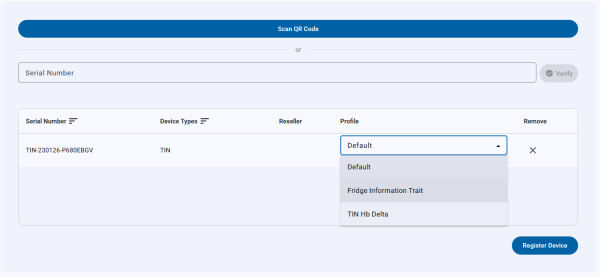
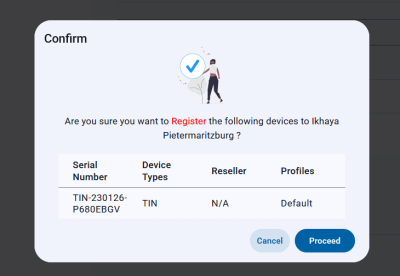
- The serial number will then be entered into the table. Step 1 and 2 can be repeated if multiple devices are to be registered. Once complete click 'Register Devices' to complete registering devices to your account. A confirmation dialog will appear to confirm your registration
- Your devices will then be displayed on the Devices page.


